Save Recipes Shared on Facebook
Pull recipes from public Facebook posts, pages, and groups into clean text.
First time sharing to Recimarry?
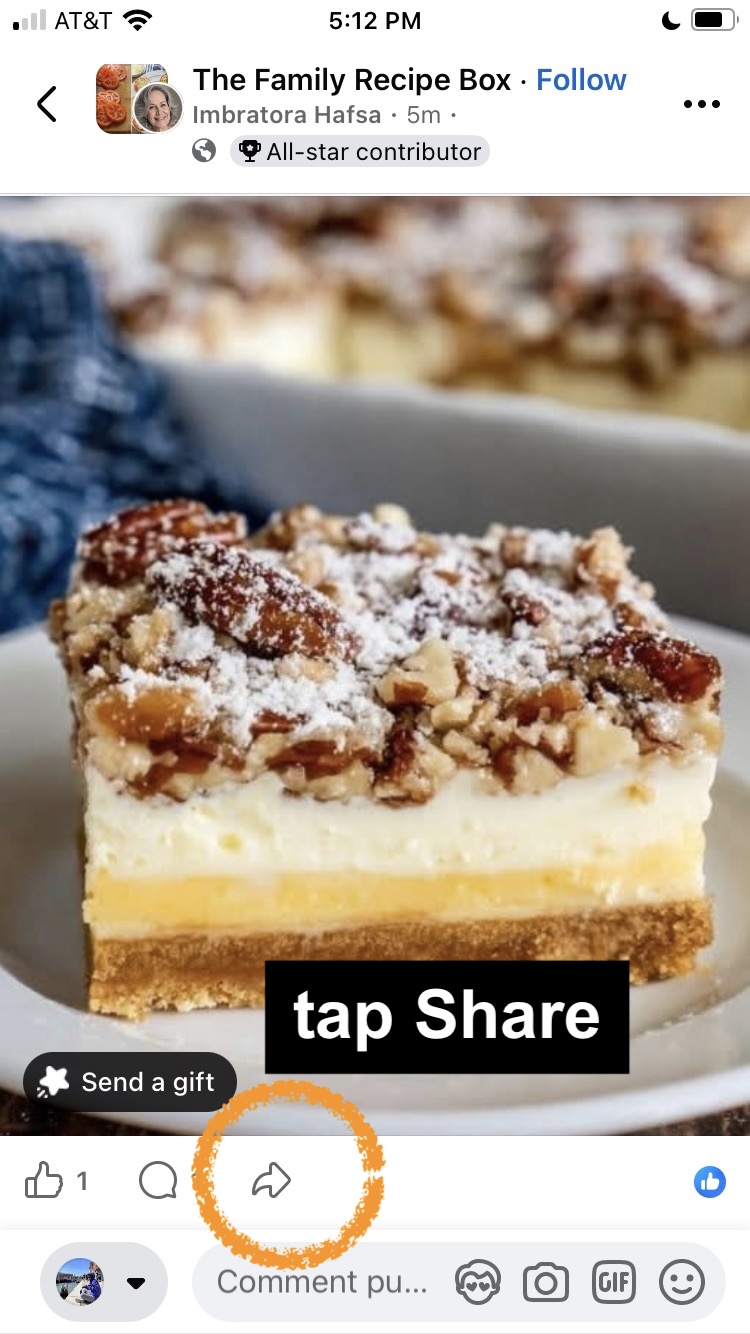
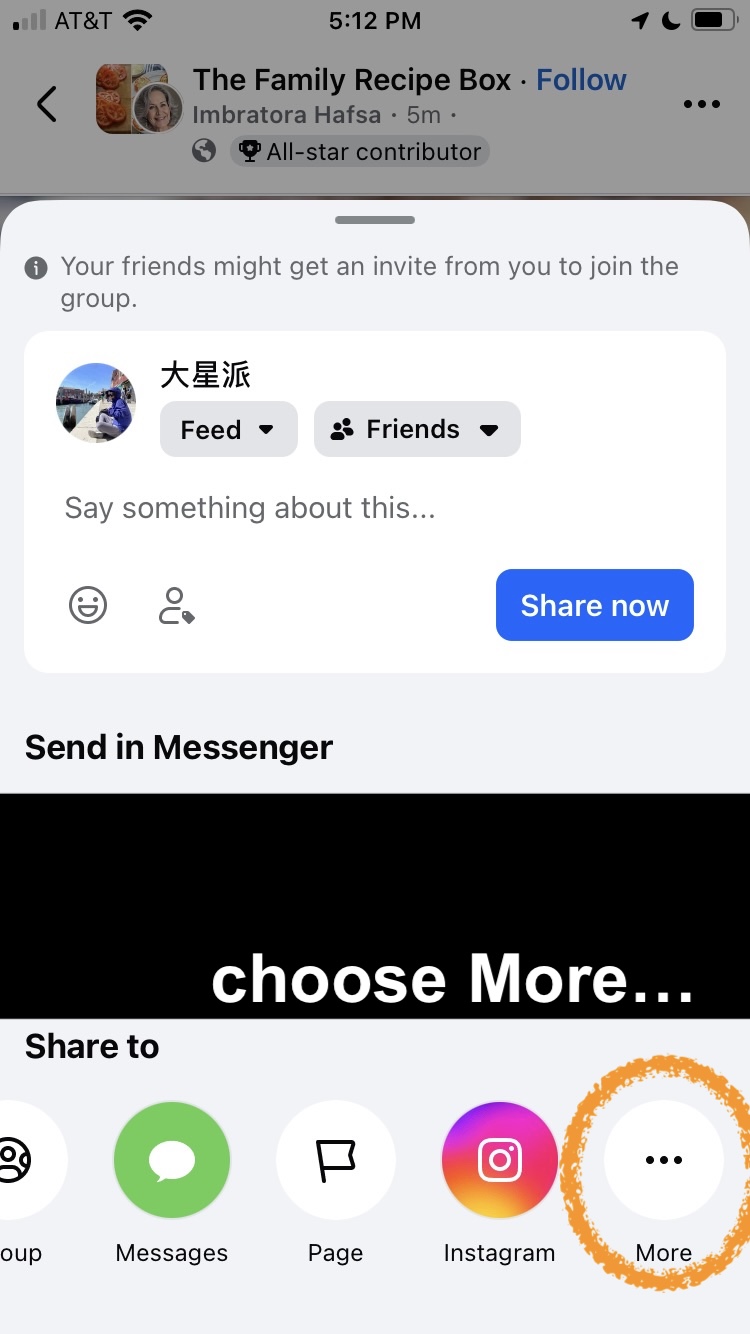
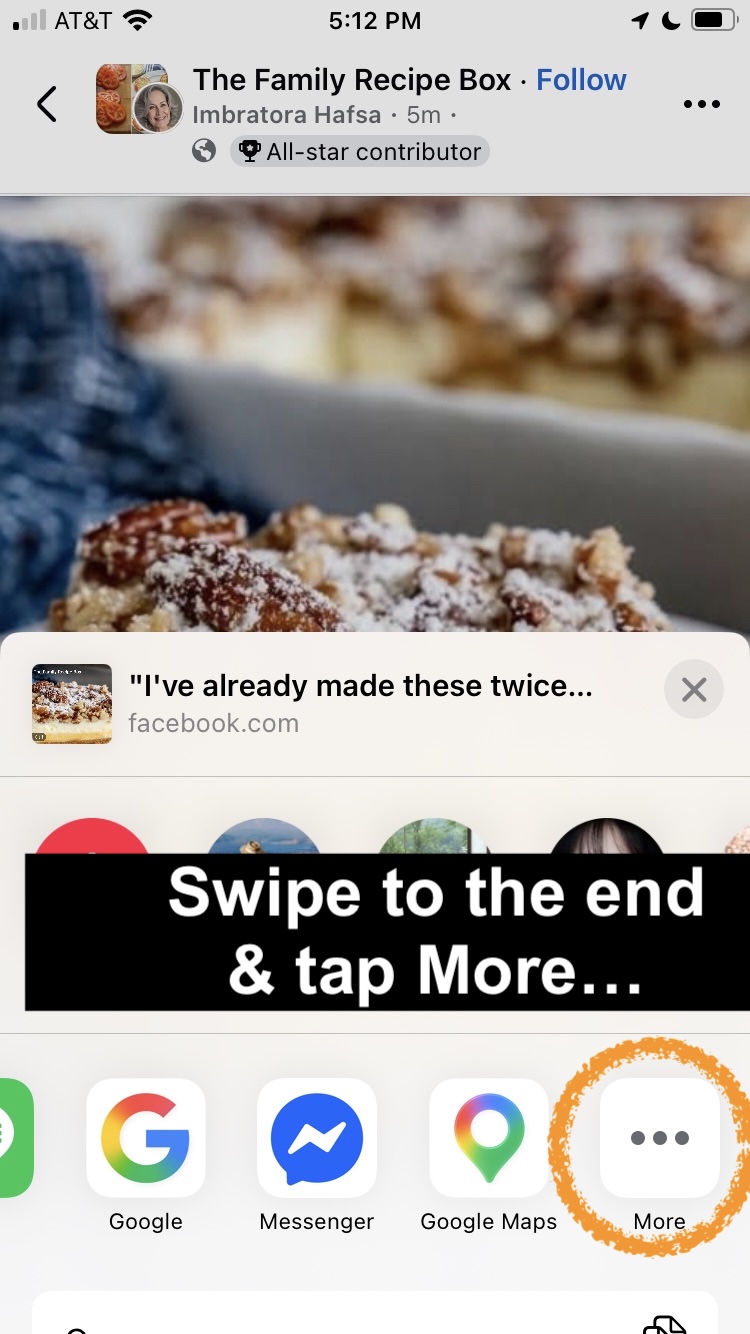
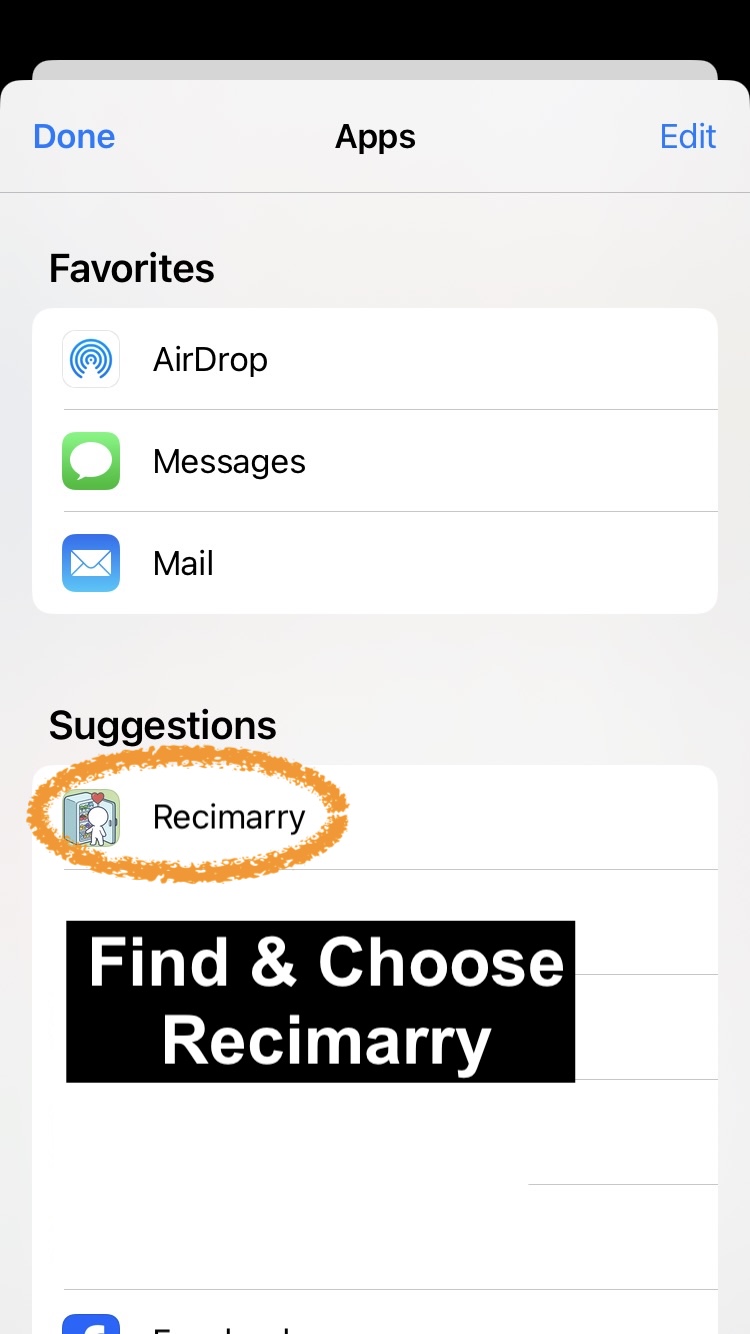
- Open the Facebook post in the Facebook app. Public posts, your own posts, and posts in public groups work best.
- Tap Share, then Recimarry. Recimarry shows up in your share sheet. (First time? Scroll the share sheet, tap "More," and enable Recimarry.)
- Recimarry reads the post text and turns it into a structured recipe with ingredients and steps separated.
- Save to your library. The original post link is kept with the recipe.
Good news — this is just the first time. Once you've shared to Recimarry once, iOS shows it right in the share sheet, so next time you can skip the “swipe to the end → More” steps and tap Recimarry directly. To pin it to the top for good, open the Apps list, tap Edit, and add Recimarry to your Favorites.
Heads up: Facebook is more restrictive than the other platforms. Posts in private groups, posts from friends with strict privacy settings, and login-walled content can't be read. Two workarounds cover most of these cases:
- Recipe is text: copy the recipe from the post and use Recimarry's Paste or type recipe text option.
- Recipe is an image (a photo of a recipe card, handwritten card, or screenshot): take a screenshot of the post and use Recimarry's From Image option — Recimarry reads the text directly from the image.
Good to know
- Works for public posts, your own posts, and public group posts. Private groups and restricted posts can't be read — use the workarounds above.
- Video posts and Reels work as well as text posts — Recimarry reads what's spoken and, when that isn't enough, watches the video for the text on screen.
- Sharing a post to Recimarry is private — it doesn't notify anyone or post to your timeline.
Import from other platforms
Recimarry handles recipes from anywhere you find them:
Get Recimarry