Turn Pinterest Pins Into Real Recipes
Recimarry follows the pin's link, reads the pin image, or uses the description — whichever holds the recipe.
First time sharing to Recimarry?
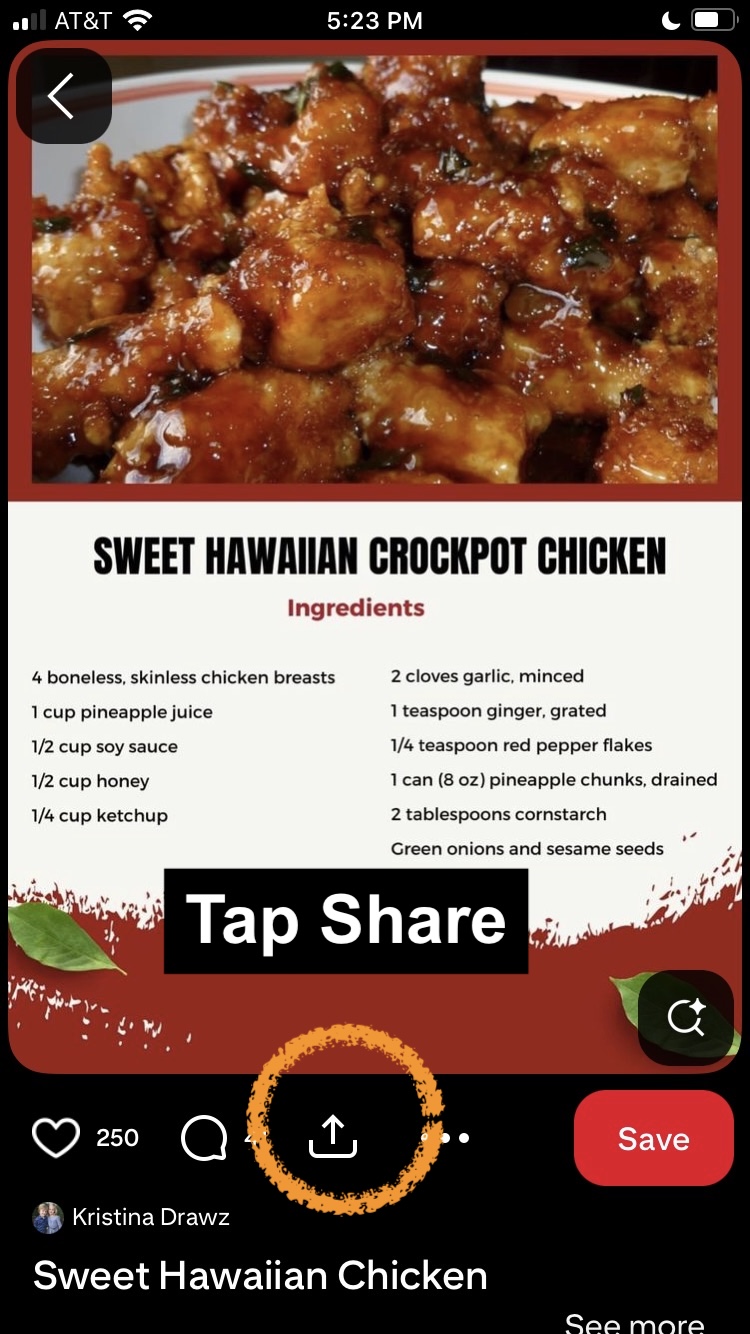
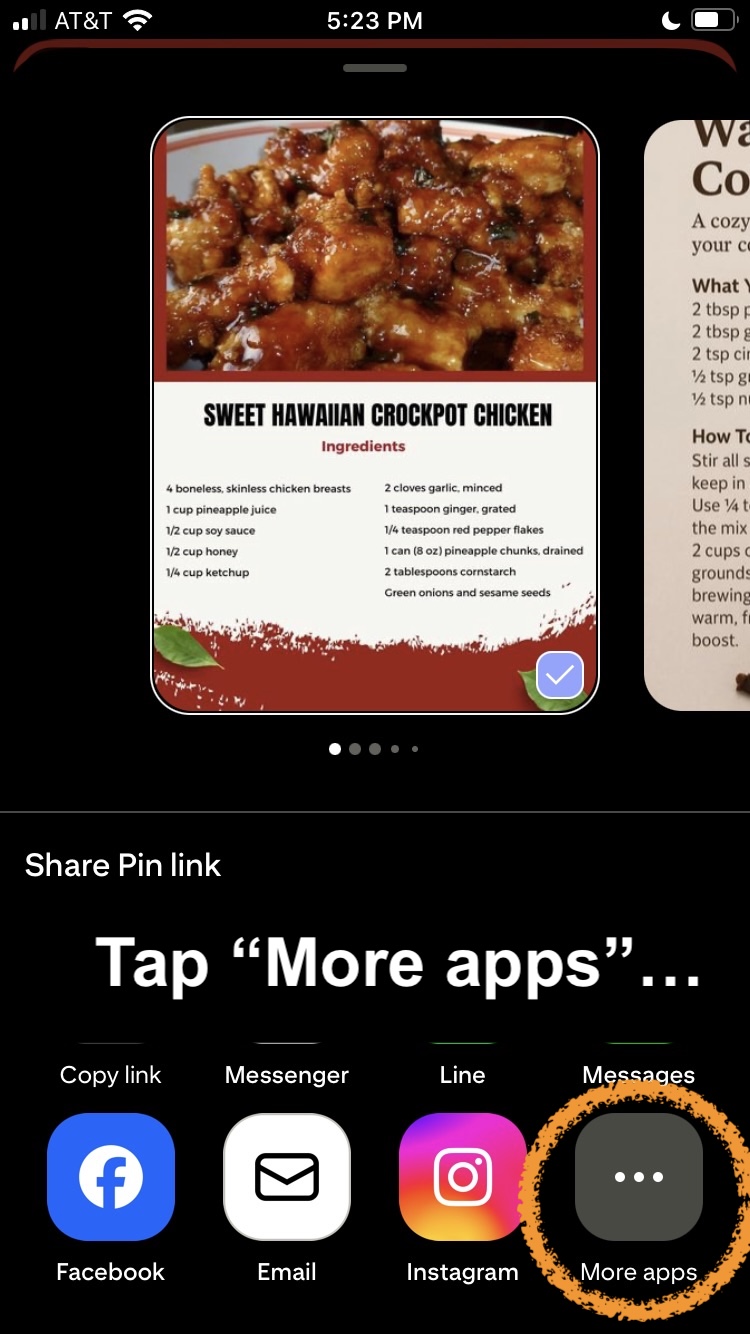
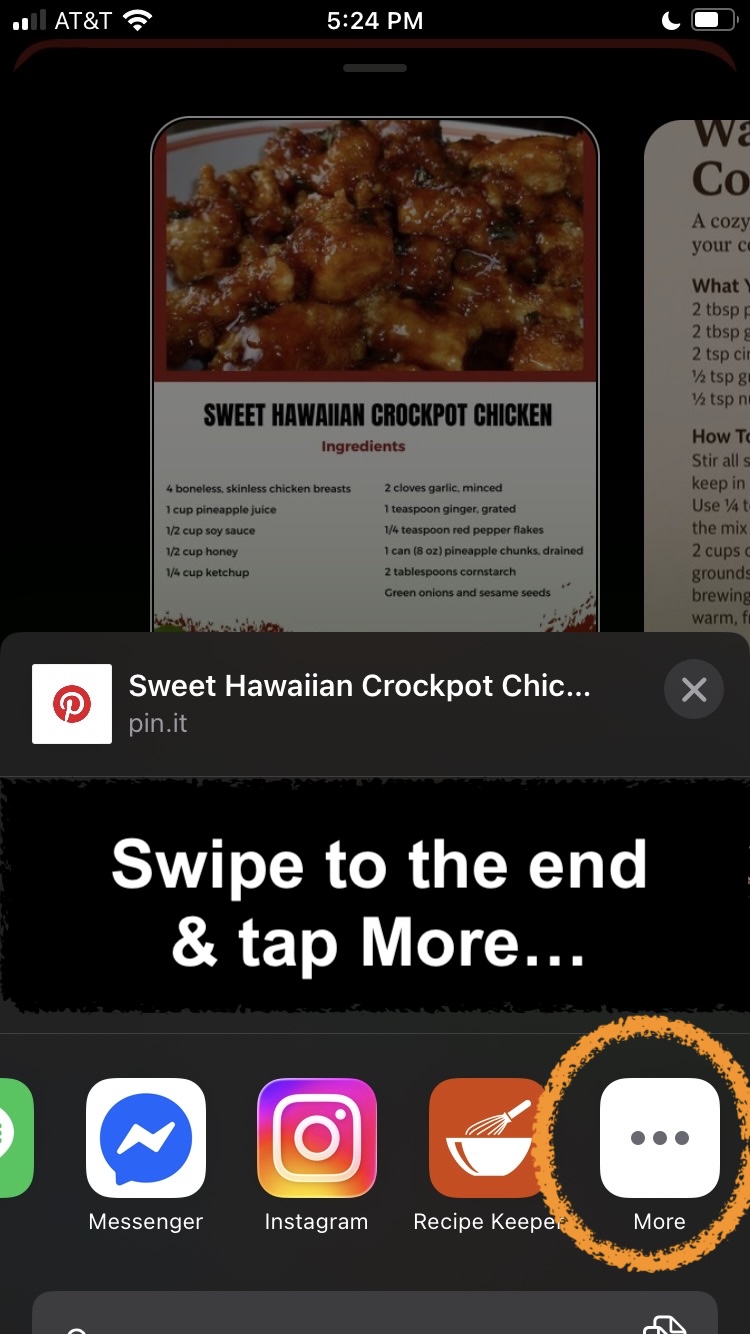
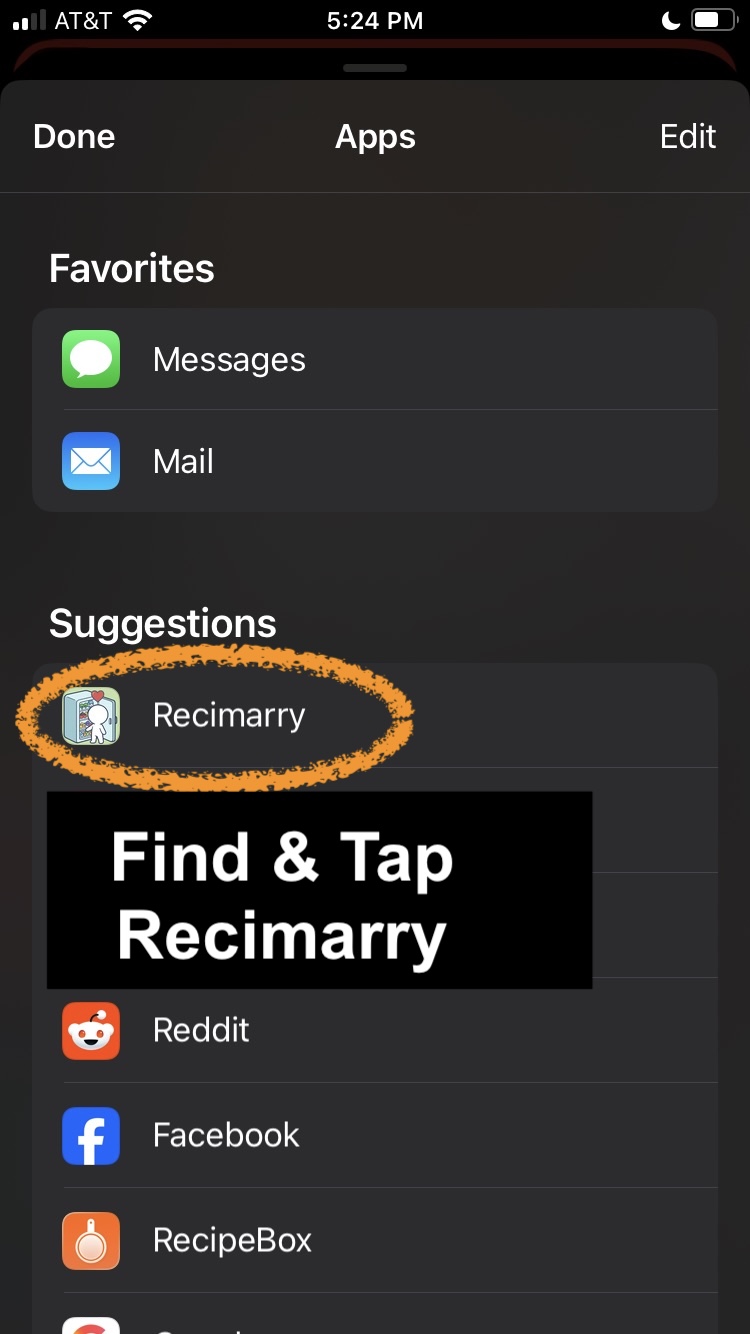
- Open the pin in the Pinterest app.
- Tap Share, then Recimarry. Recimarry shows up in your share sheet. (First time? Scroll the share sheet, tap "More," and enable Recimarry.)
- Recimarry picks the best source automatically. First it tries the link the pin points to. If the link is dead or missing, it reads the pin image — recipe-card pins are common and the printed ingredients/steps are extracted directly. If the image isn't a recipe card, it uses the pin description.
- Save to your library. The original pin link is kept with the recipe.
Good news — this is just the first time. Once you've shared to Recimarry once, iOS shows it right in the share sheet, so next time you can skip the “swipe to the end → More” steps and tap Recimarry directly. To pin it to the top for good, open the Apps list, tap Edit, and add Recimarry to your Favorites.
Good to know
- If the link is broken or the site is closed, Recimarry reads the pin image — many recipe pins are recipe cards with the ingredients and steps printed on them.
- If the pin is just a stylized photo with no text, there's nothing to extract.
- Video pins work too — when the description and linked page come up short, Recimarry watches the video and reads the text on screen.
Import from other platforms
Recimarry handles recipes from anywhere you find them:
Get Recimarry