Save YouTube Recipes
Turn a video's description and transcript into a clean recipe with ingredients and steps.
First time sharing to Recimarry?
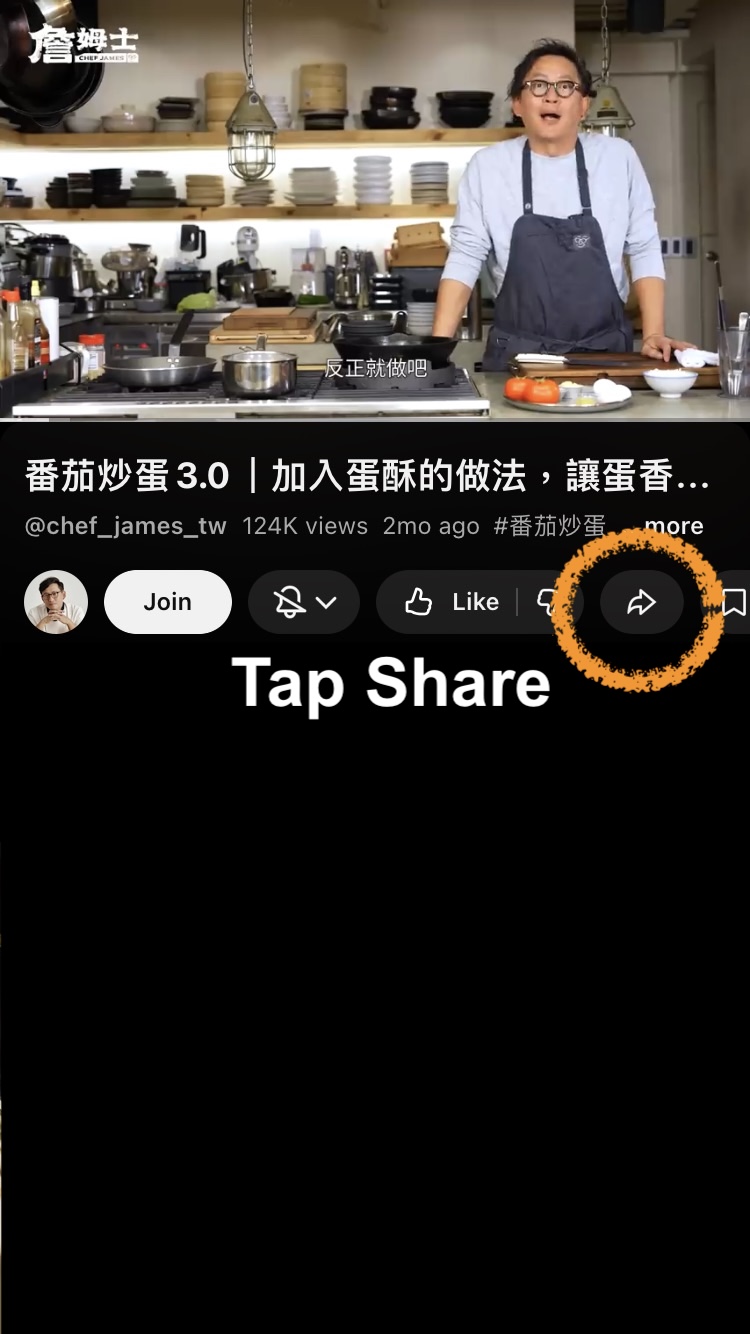
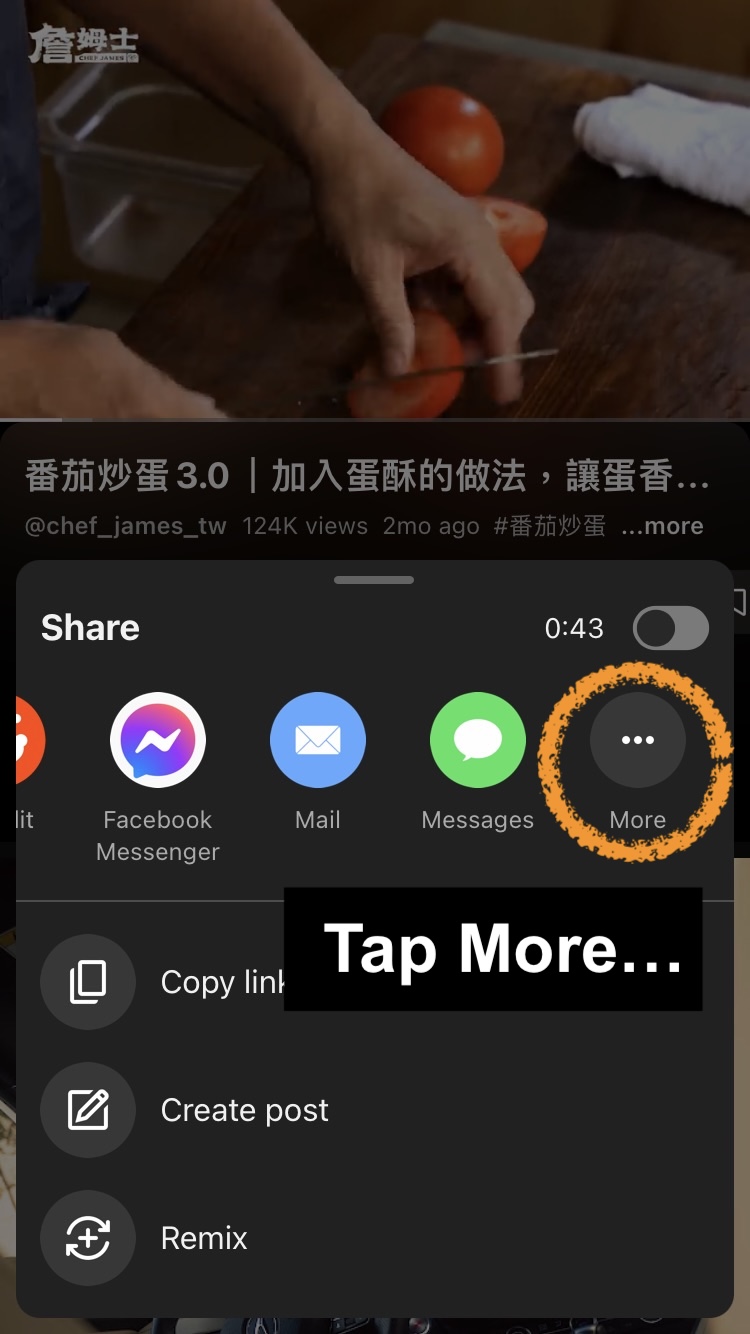
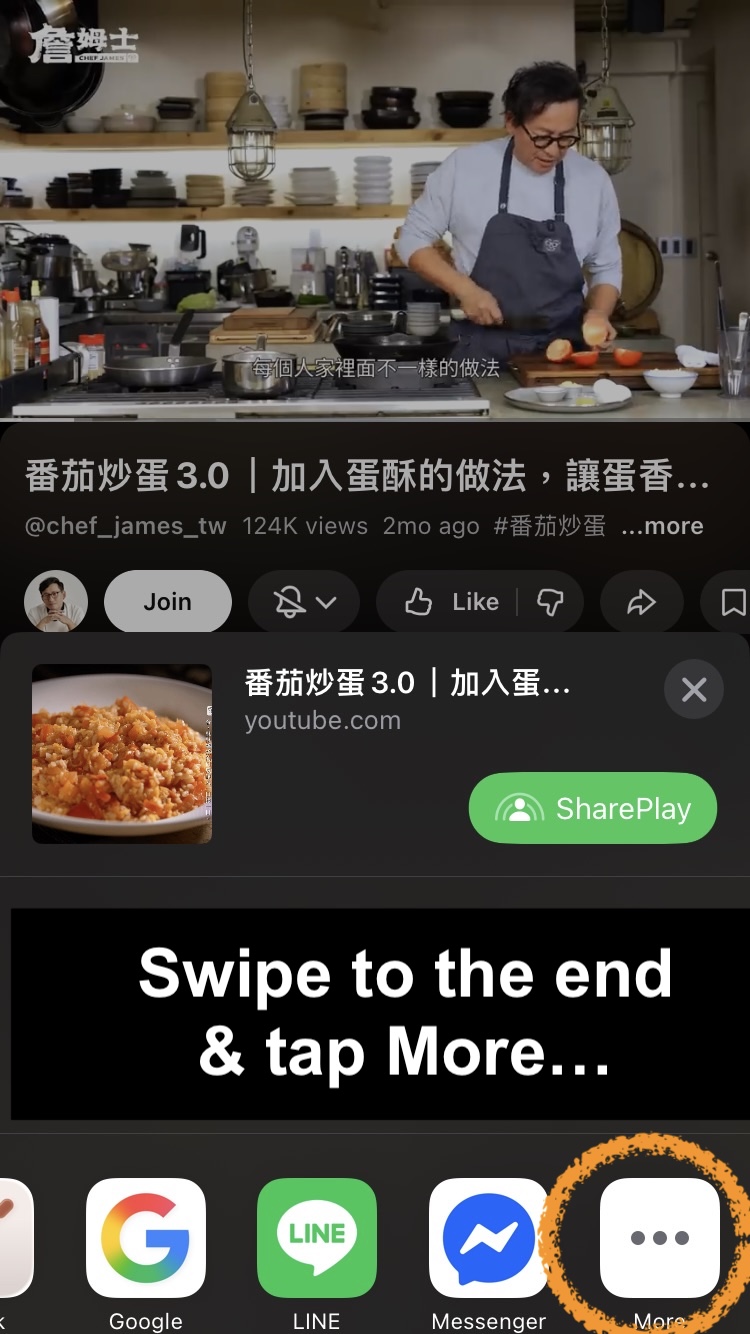
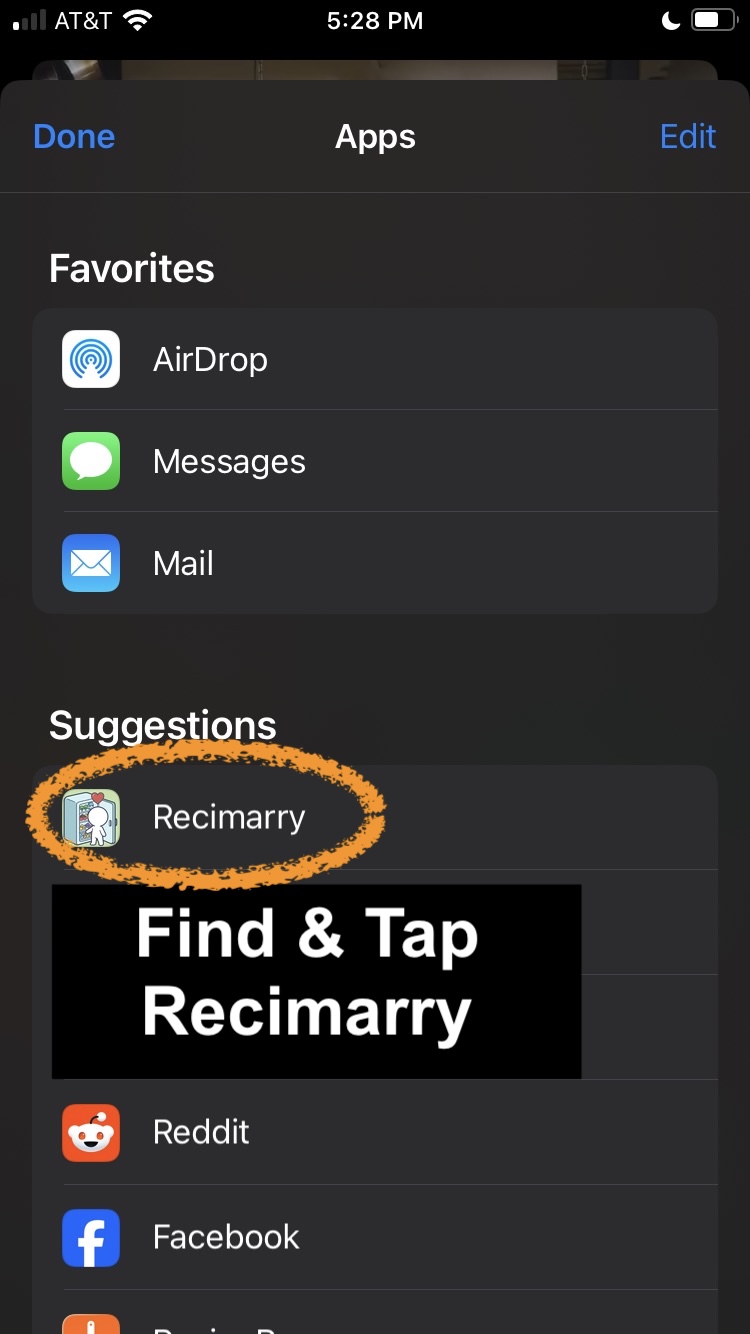
- Open the YouTube video in the YouTube app — long form or YouTube Shorts both work.
- Tap Share, then Recimarry. Recimarry shows up in your share sheet. (First time? Scroll the share sheet, tap "More," and enable Recimarry.)
- Recimarry combines the best sources. The description usually has the formatted ingredient list. The transcript usually has the actual cooking steps. Recimarry combines them, so you get the structured ingredients from the description and the real steps from the audio. For shorter videos with neither, Recimarry can watch the video itself as a fallback.
- Save to your library. The original YouTube link is kept with the recipe.
Good news — this is just the first time. Once you've shared to Recimarry once, iOS shows it right in the share sheet, so next time you can skip the “swipe to the end → More” steps and tap Recimarry directly. To pin it to the top for good, open the Apps list, tap Edit, and add Recimarry to your Favorites.
Good to know
- Description and transcript are combined, so the formatted ingredient list and the spoken steps end up in one recipe.
- Description and transcript work at any length. If neither has the recipe, Recimarry watches the video — that part only works up to 15 minutes. Shorts use the same flow.
- Non-English videos work — Recimarry fetches the matching transcript track.
Import from other platforms
Recimarry handles recipes from anywhere you find them:
Get Recimarry